Create One QR Code.
Multiple Business Links.
GreenQR Link connects one QR code to one page of relevant business links. Visitors choose among your existing external resources. Maintain the destination links on that page and get started for free.

Why businesses choose GreenQR Link
Use one QR code to open one GreenQR Link page containing relevant destination links. Visitors choose among existing external resources such as your website, social profiles, product information, menu, booking page, or contact page. Maintain those links as your business information changes.
All-In-One Link
Bring your website, social media, products, videos, reviews, booking links, and contact information together on one easy-to-access page. Customers can reach what they need through one QR code instead of searching across different platforms.
QR Code Generator for Business
Create a custom QR code for your business and connect it to your GreenQR Link page. Share one QR code on business cards, menus, flyers, packaging, signs, or displays so customers can quickly access your important links and information.
No Code Needed
Create and manage your QR landing page without coding or technical setup. Add, organize, and update your business links through a simple dashboard whenever your information changes.
QR Analytics
Review QR scan activity, pageviews, visitors, and available location, referrer, UTM, device, browser, operating-system, and language context. These summaries do not identify visitors or establish sales or conversions.

Problem — Too Many Business Links
Websites, social media, stores, videos, and contact info are hard to manage and share separately.
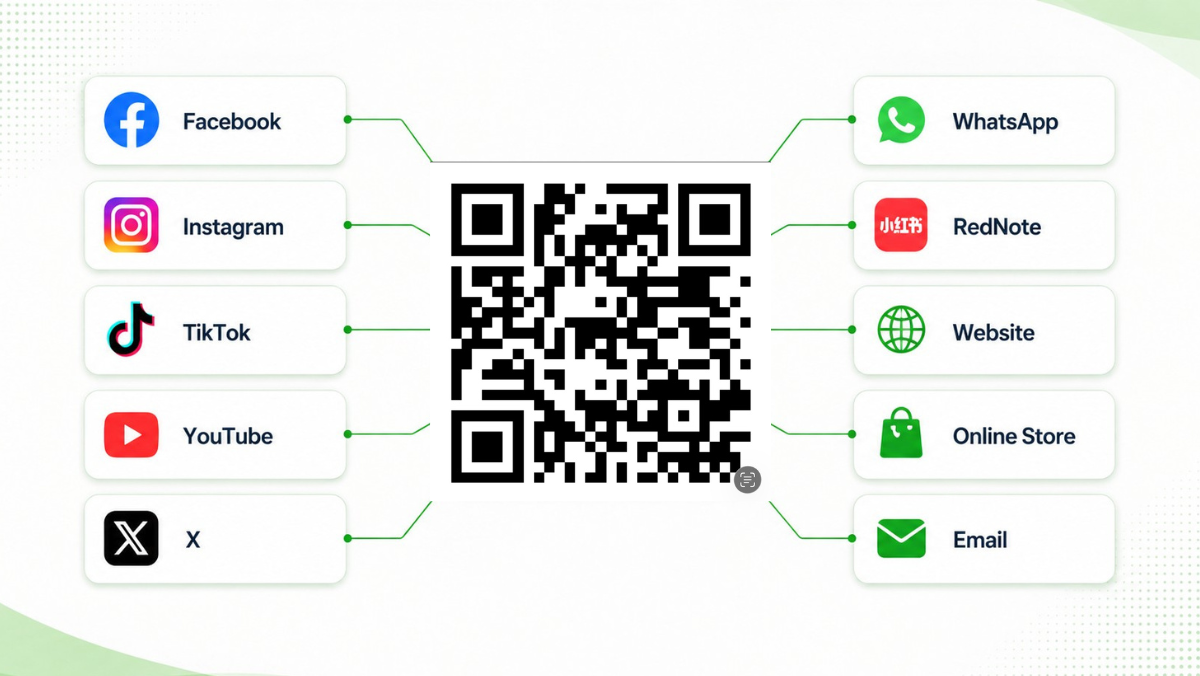
Solution — Share Your GreenQR Link Page
Connect every important business link in one place with a single QR code.
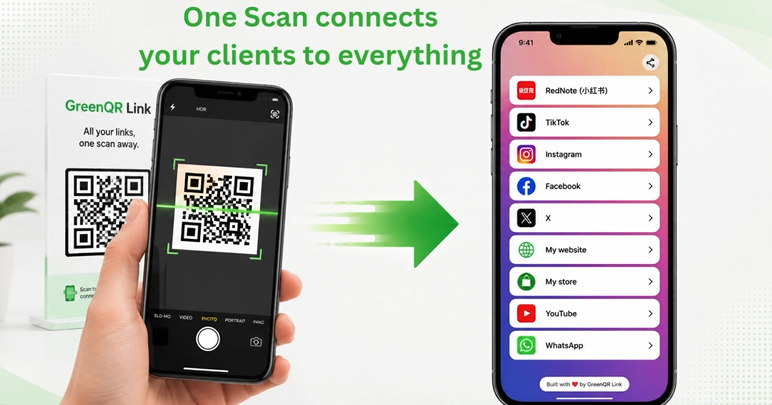
Result — Share One QR Code
The QR opens one GreenQR Link page, where visitors choose a destination.
How GreenQR Link Works
Create your GreenQR Link page, add relevant destination links, and generate a QR code for the materials that need it. A printed QR can remain usable after destination edits only if it still opens the same available GreenQR Link page URL. Updating page content does not visually change the printed QR image or correct information already printed around it.
Step 1 — Create Your Page
Create your GreenQR Link page and add the information customers need, including your website, social media, menu, reviews, products, booking links, and contact details.
Smart QR Landing PagesStep 2 — Generate & Share Your QR Code
Generate your QR code and share it wherever customers connect with your business — on menus, business cards, flyers, packaging, signs, displays, or other printed materials.
Prepare and Test Your QR CodeStep 3 — Maintain Links & Review QR Activity
Edit or remove existing Link blocks on your page, then review available QR scan activity and page statistics from your account.
ExploreUse Your QR Code Anywhere
Use your QR code on relevant printed and digital materials to provide a route to the information they need. Add it to business cards, menus, product packaging, flyers, signs, event materials, social media, or online stores so one scan can connect customers to your website, products, booking pages, contact details, and other important business links.
Start Creating Smarter QR Codes Today
Get started with GreenQR Link for free and prepare your page and QR code.
Try Our Free QR Code Generator